

Welcome to Invo
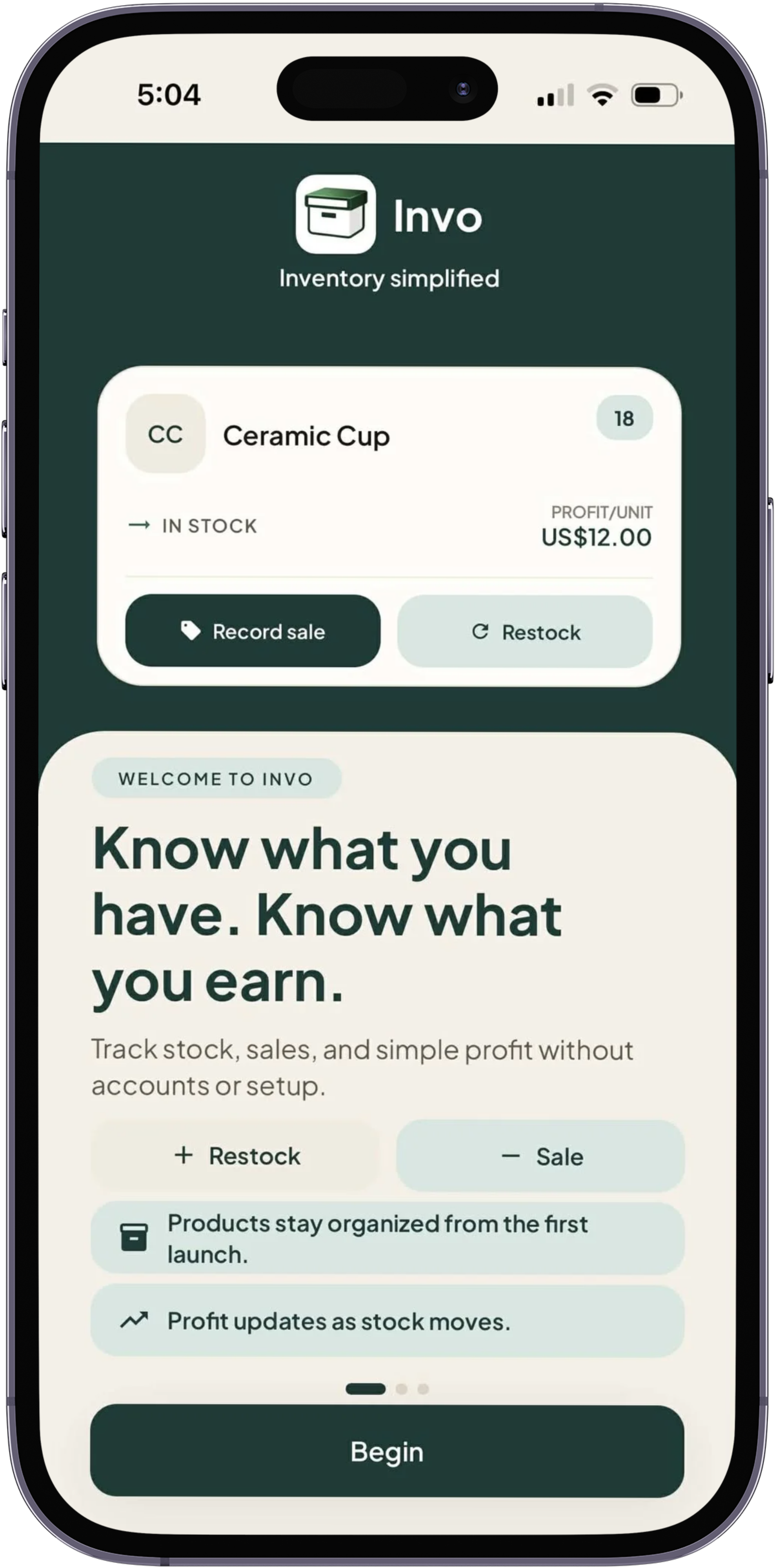
A simple start that explains the promise: know what you have, know what you earn, and keep business records local.
Know what you have. Know what you earn.
Invo helps small business owners update stock, record sales, and see profit without accounts, cloud setup, or accounting complexity.
Local-first. Offline-ready. Built for everyday use.
Product previews
Invo keeps product records, stock movement, and profit context simple enough to use while running the business.
A simple start that explains the promise: know what you have, know what you earn, and keep business records local.
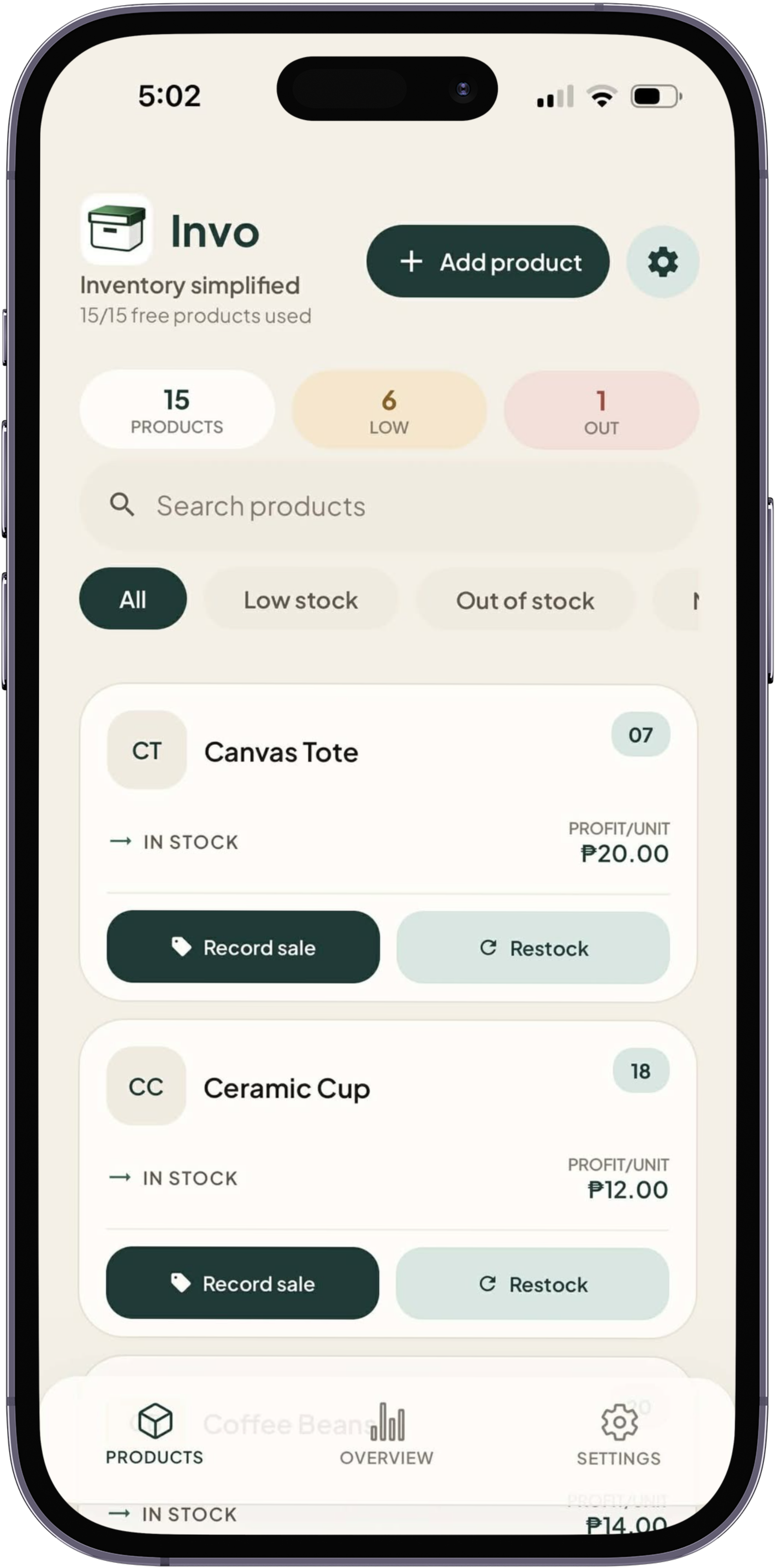
See active products, stock status, low-stock attention, and quick actions from the screen used most.
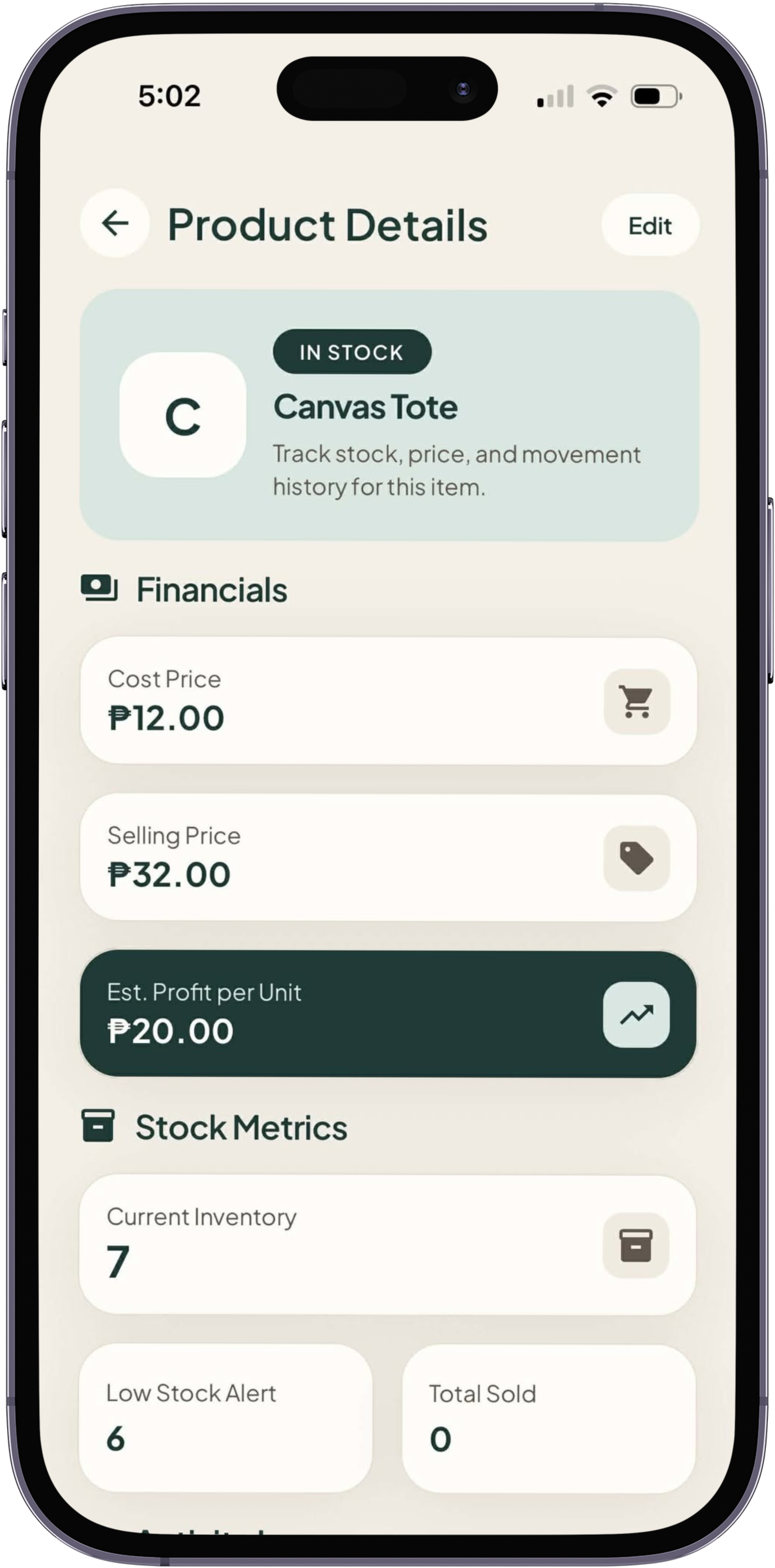
Check inventory, prices, estimated profit per unit, total sold, and recent stock movement in one place.
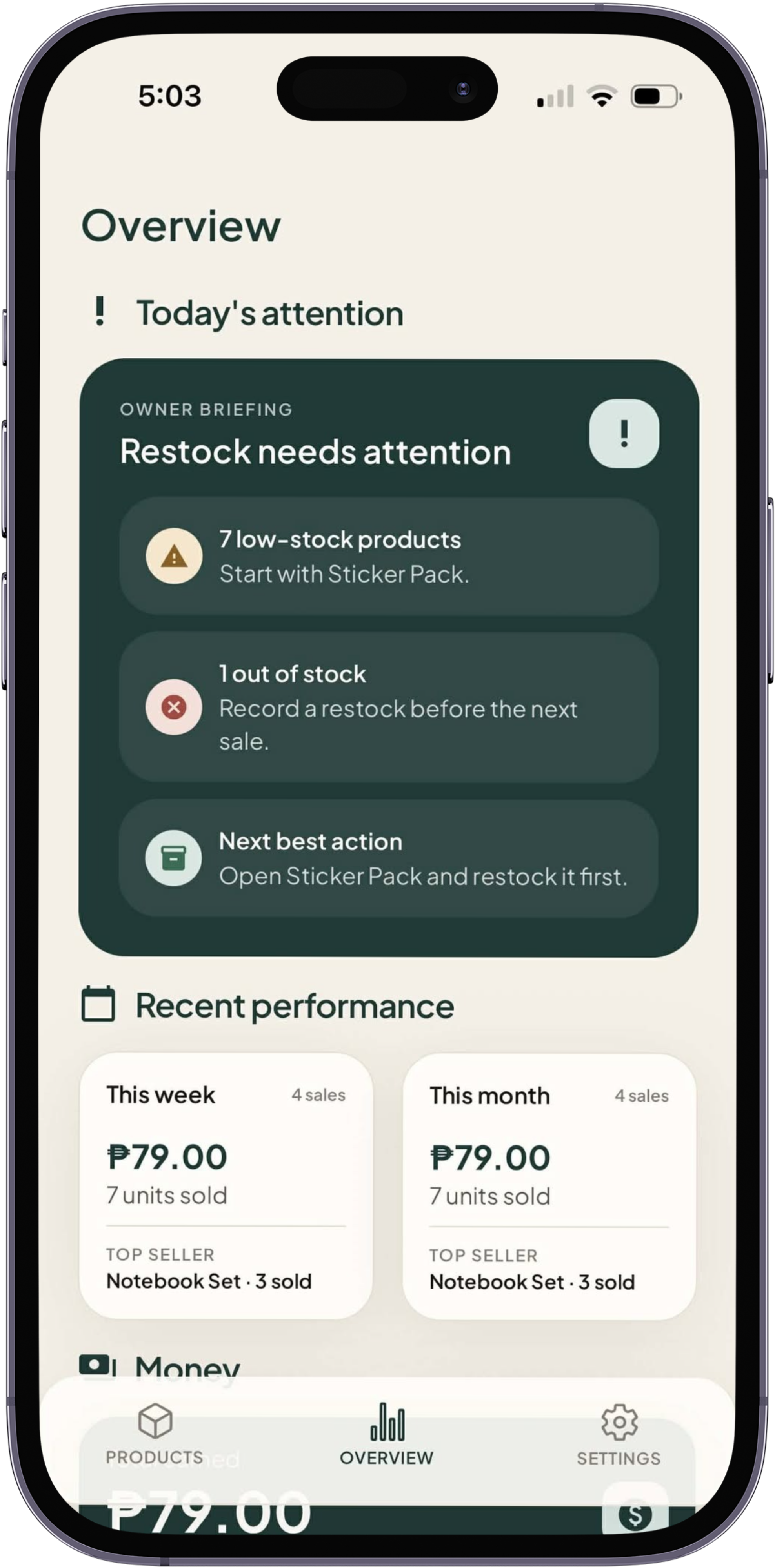
The first half of Simple Overview surfaces earned totals, stock health, and the next action that needs attention.
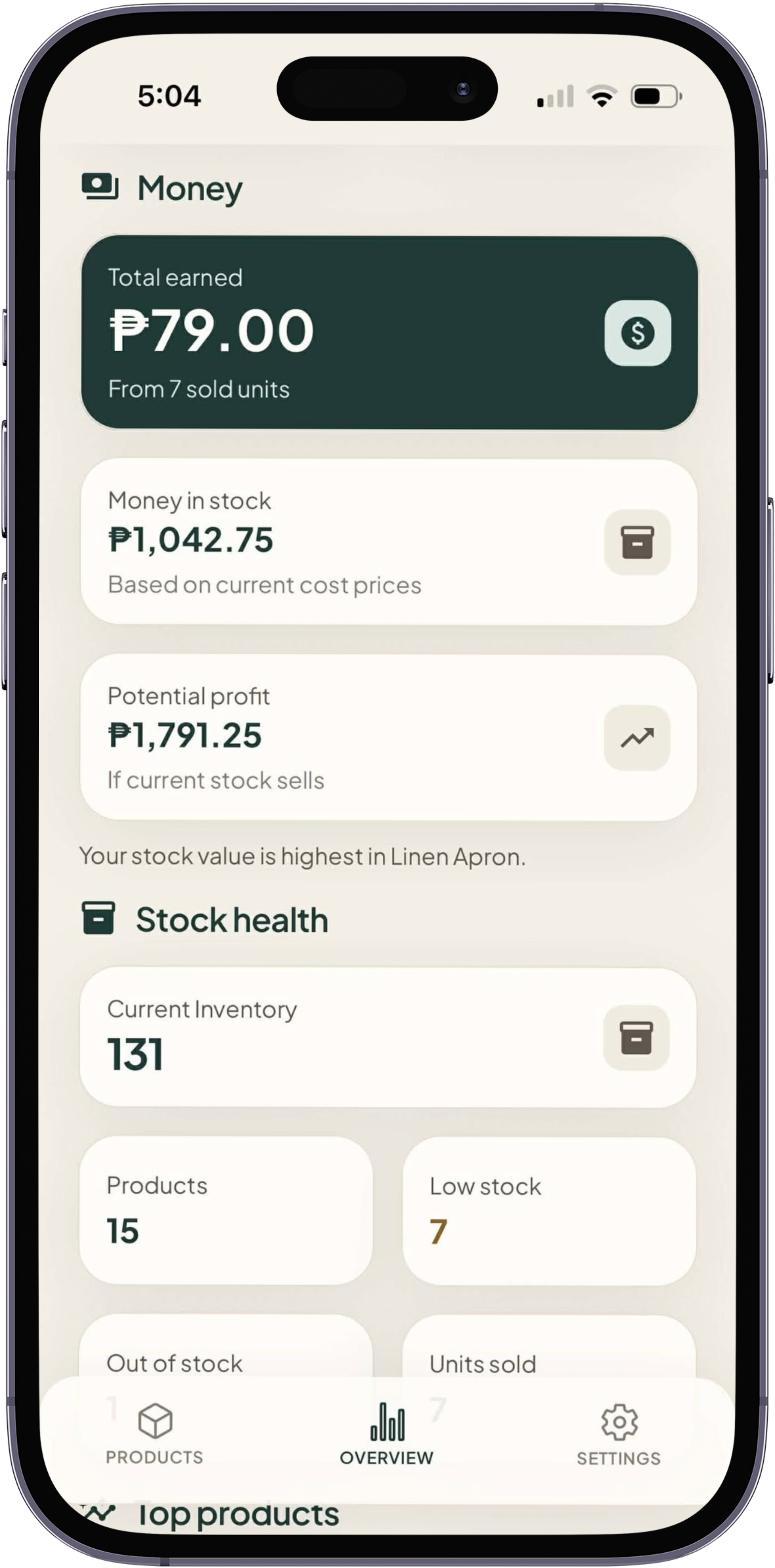
The second half highlights useful product insights, including top performers, stock value, and price-based profit context.
What Invo does
Open Invo and see your active products right away, with stock status, low-stock items, and quick actions close at hand.
Restock or record a sale from the product card. Quantity and profit update immediately, with no separate checkout flow.
Add cost and selling price once. Invo uses your saved prices to show product-level profit and total earned.
Products, stock history, settings, and premium state are stored locally on your device. Invo does not require login or cloud sync.
No setup maze
Name, stock, cost price, selling price, and low-stock threshold are enough for the daily workflow.
No accounting jargon
Invo helps answer what sold, what remains, and what was earned without turning the app into a ledger system.
No cloud dependency
Invo is built for local storage and local backups, not accounts, remote databases, or team workflows.
One-time unlock
Invo Plus is a one-time purchase for owners who need more room and a clearer overview without turning Invo into a heavy business system.
Not a subscription.
Get Invo
Start with a clear product list, quick stock updates, and profit that updates as you work.
FAQ
Invo is for small business owners who want a fast way to track products, stock changes, and simple profit. It is not an ERP, accounting system, or POS checkout.
Yes. Invo is local-first and stores business data on your device, so your product list and stock actions do not depend on an account or cloud sync.
The free version includes the product list, search, product details, quick restock, record sale, low-stock highlighting, and per-item profit for up to 15 total products, including archived products.
Invo Plus unlocks unlimited products, the Simple Overview, and local export/import backups through a one-time purchase.
Products, stock levels, sales history, profit data, optional product images, settings, and premium unlock state are stored locally on your device. Invo does not store your inventory or photos on a remote server.
Invo asks for photo library access only when you choose to add or change a product image. For example, you can select a photo of an item so it appears on that product card and details screen. Product images are optional.